
Get Email Count
Activity checks the inbox of an indicated address and returns the number of emails as Emails Count.
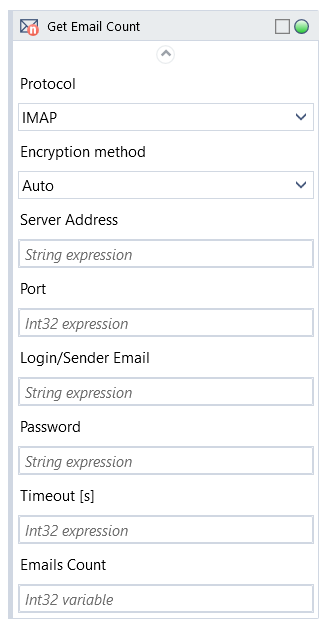
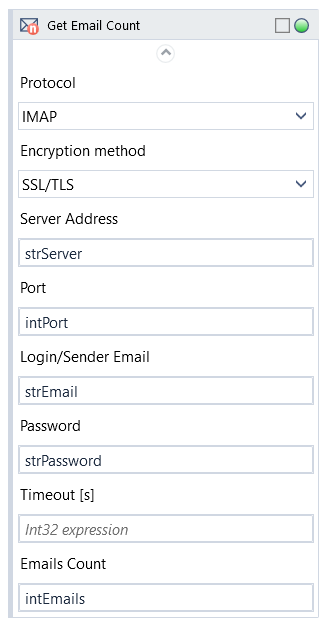
To use the activity fill in the correct Login/Sender Email and Password for the email you want to access, as well as Protocol, Encryption method, Server Address and Port according to the email server’s settings.
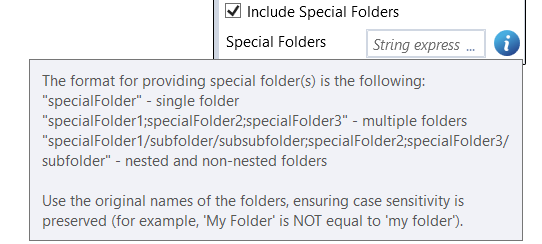
Fill in Special Folders to access mailbox folders other than default inbox (see more information below)
To access a shared mailbox, provide the name in the Malibox Name field in addition to logging in with regular credentials.
Special Folders
Only messages in Inbox are counted by default.
To count messages in other (custom or default) folders provide folder name(s).
The folder names are case sensitive. For nested folders, access them as "My Folder/My Subfolder"
NOTE: Default mailbox folders can have different display names depending on language and email provider, but will need to be accessed with following keywords:
-
-
-
- "Sent" - outgoing mail
- "Drafts" - unfinished messages
- "Junk" - spam, unwanted messages
- "Trash" - deleted mail
-
-
NOTE: It's recommended that the email address is reserved for robot use.
| Name | Type | Category | Description |
|---|---|---|---|
| Special Folders | String | Input | additional mailbox folder(s) to check |
| Alternative Scenario If Failed | Boolean | Misc | checkbox; default is "on" |
| Display Name | Literal | Misc | changes display name of the activity |
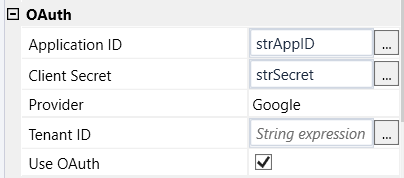
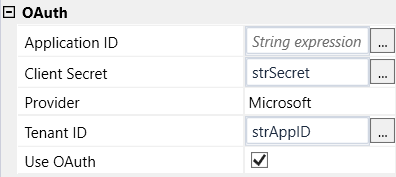
| Application ID | String | OAuth | string expression from Azure Active Directory (applies to Microsoft services) or Google Cloud (applies to Google services) obtained after the application registration process |
| Client Secret | String | OAuth | string expression from Google Cloud obtained after the application registration process |
| Provider | Dropdown | OAuth | select email provider from the dropdown list |
| Tenant ID | String | OAuth | string expression from Azure Active Directory obtained after the application registration process |
| Use OAuth | Boolean | OAuth | checkbox; default is "off" |
| Emails Count | Int32 | Output | number of emails in inbox |
| Result | Boolean | Output | returns a Boolean value. True if no error in activity, otherwise will return False |
| Result Code | Int32 | Output | Result Code will return 0 if there is no error in activity, otherwise in most cases will return 1. See the table of Extended Result Codes for more info |
| Fullscreen | Boolean | Screenshot | checkbox; default is "off" |
| Screenshot Path | String | Screenshot | directory path to save location |
| Show Cursor | Boolean | Screenshot | checkbox; default is "off" |
| Window Screenshots | Boolean | Screenshot | checkbox; default is "off" |
| Encryption Method | Dropdown | Settings | select encryption method from the dropdown list |
| Login/Sender Email | String | Settings | login |
| Mailbox Name | String | Settings | name of shared mailbox |
| Password | String | Settings | password (string expression) |
| Port | Int32 | Settings | port number |
| Protocol | Dropdown | Settings | select the appropriate option from the dropdown list |
| Server Address | String | Settings | address of email server the robot logs in to |
| Timeout [s] | Int32 | Settings | set time in seconds to connect to email server |