
Filter/Unfilter Worksheet
Activity adds or removes a filter from an Excel worksheet.
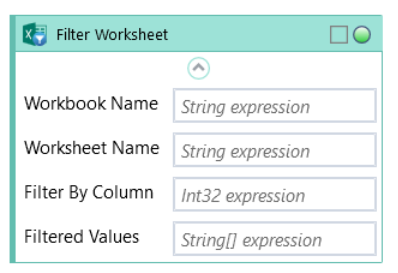
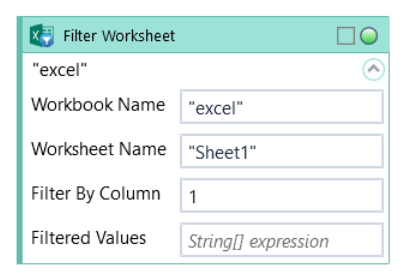
Fill in Workbook Name position with custom internal name of your Excel file. Fill in Worksheet Name in properties window.
Choose between Filter and Unfilter from the dropdown list.
Fill in Filter By Column to choose a column and Filtered Values to provide a list of values to filter by.
Only one filter per worksheet is possible at a time. Applying a new filter requires that all previous ones applied to the worksheet are removed first.
| Name | Type | Category | Description |
|---|---|---|---|
| Action | Dropdown | Input | select the appropriate option from the dropdown list |
| Filter By Column | Int32 | Input | Excel column to filter |
| Filtered Values | String[] | Input | values to filter by |
| Retry Timeout [s] | Double | Input | determines behaviour if the activity fails to execute. value < 0: try executing once, 0: try indefinitely; value >0: time in seconds during which the activity repeatedly tries to execute (if time elapses without success then Result = False, end activity) |
| Workbook Name | String | Input | custom internal name Wizlink will use to identify the workbook |
| Worksheet Name | String | Input | name of the Excel sheet |
| Alternative Scenario If Failed | Boolean | Misc | checkbox; default is "on" |
| Display Name | Literal | Misc | changes display name of the activity |
| Result | Boolean | Output | returns a Boolean value. True if no error in activity, otherwise will return False |
| Result Code | Int32 | Output | Result Code will return 0 if there is no error in activity, otherwise in most cases will return 1. See the table of Extended Result Codes for more info |
| Fullscreen | Boolean | Screenshot | checkbox; default is "off" |
| Screenshot Path | String | Screenshot | directory path to save location |
| Show Cursor | Boolean | Screenshot | checkbox; default is "off" |
| Window Screenshots | Boolean | Screenshot | checkbox; default is "off" |